Shopify App | Documentation
CI Country Payment Rules
- Version: 1.0
- Author: CynoInfotech Team
- Published: 23 August, 2025
- Last Update: 23 August, 2025
If you have any questions beyond the scope of this guide, feel free to email us at info@cynoinfotech.com.
Information
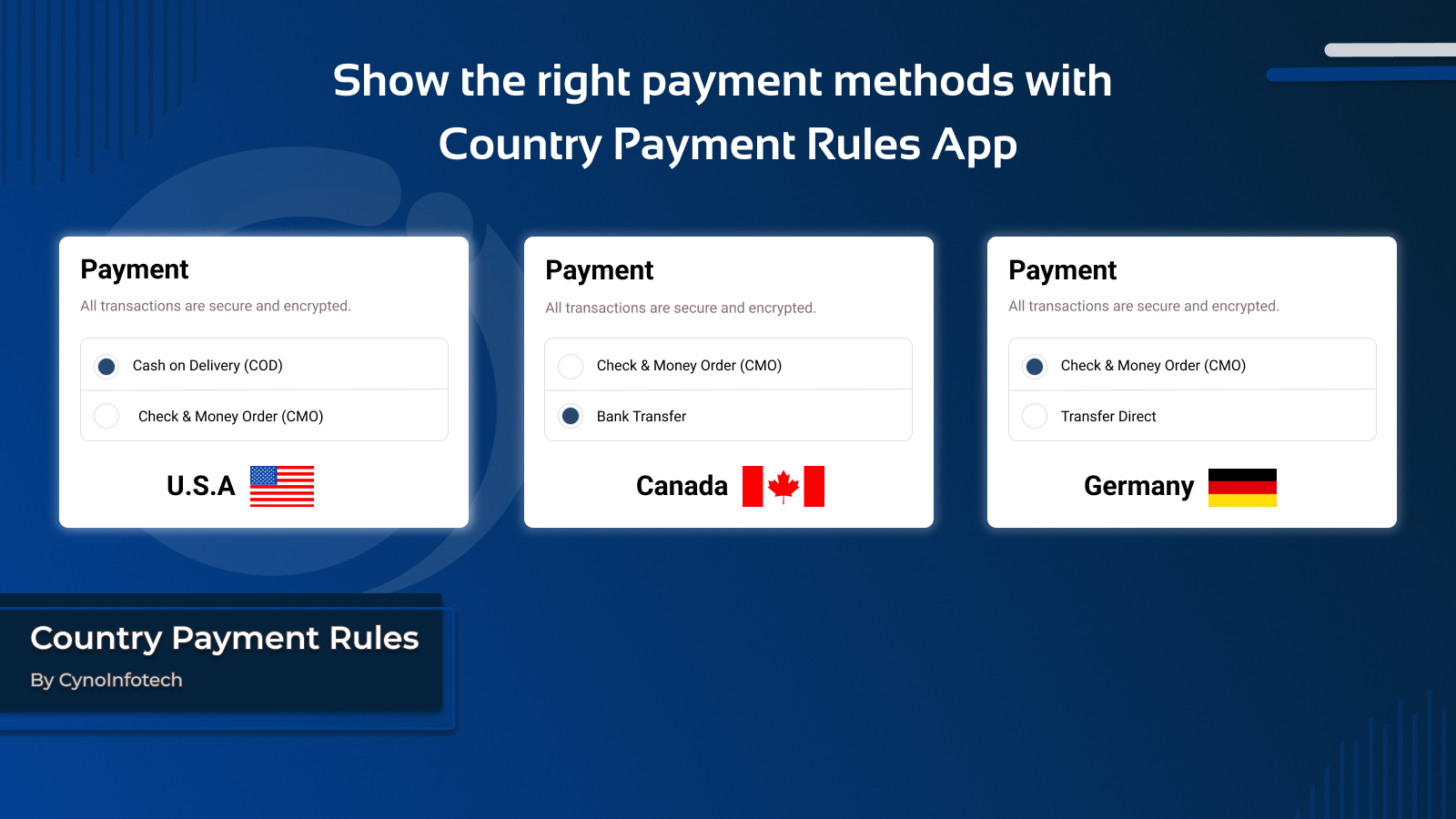
Country Payment Rules helps store owners provide customers with the most relevant and convenient payment options based on their location. Instead of showing all payment methods to every customer, you can easily configure which payment methods are available in specific country.
Your store, your rules - localize payments your way. Delivering convenience with location-based payments means giving your customers the right payment methods based on where they are shopping from. Instead of showing every option to everyone, you can customize payment availability to suit each country. This makes checkout smoother, reduces failed orders, and builds trust with your customers — all while giving you full control over payment methods.
By customizing payment availability, you not only improve customer satisfaction but also gain better control over your shipping.
Key Features:
- Customize payment methods based on customer’s country.
- Smart payments for every country.
- Hide payment method based on customer location.
- Rename payment method based on customer location.
- Move payment method based on customer location.
- Provide a smooth checkout experience with localized payment methods.
- Delivering convenience with location-based payments.
Country Payment Rules Settings
Use this setting for Country Payment Rules such as enable/disable, set customer's localization, and set multiple payment method.
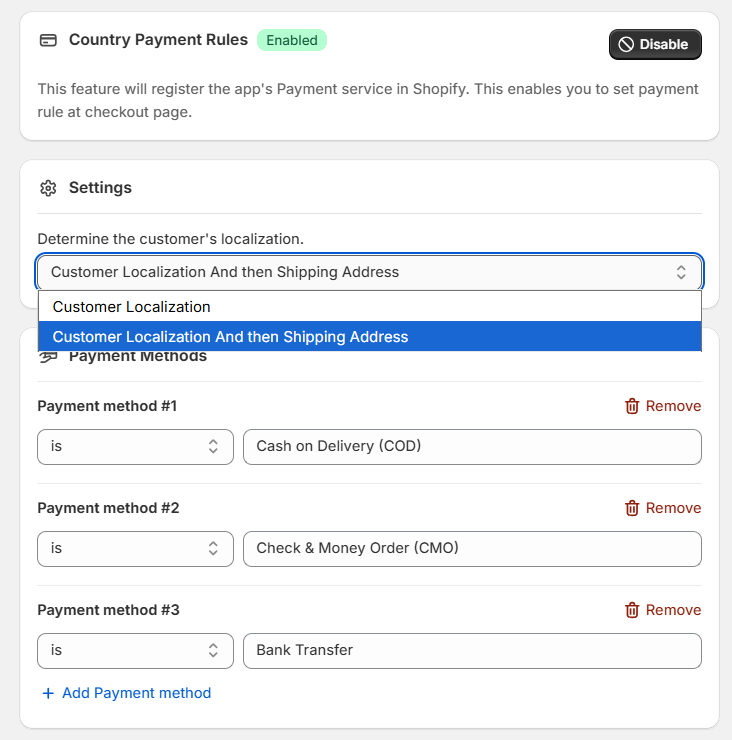
Enable/Disable
You can enable the app to set payment rule at checkout page.
Your app registered on Settings > Payments > Payment method customizations when you have enabled the app.
Customer's localization Settings
This setting use for determine the customer's localization.
Payment Methods
This setting use for set the payment method which you want to apply the rule based on customer country.
- You can add multiple Payment method which you have added in Settings > Payments.
- You can remove directly from here when you don't use.
Payment Rules
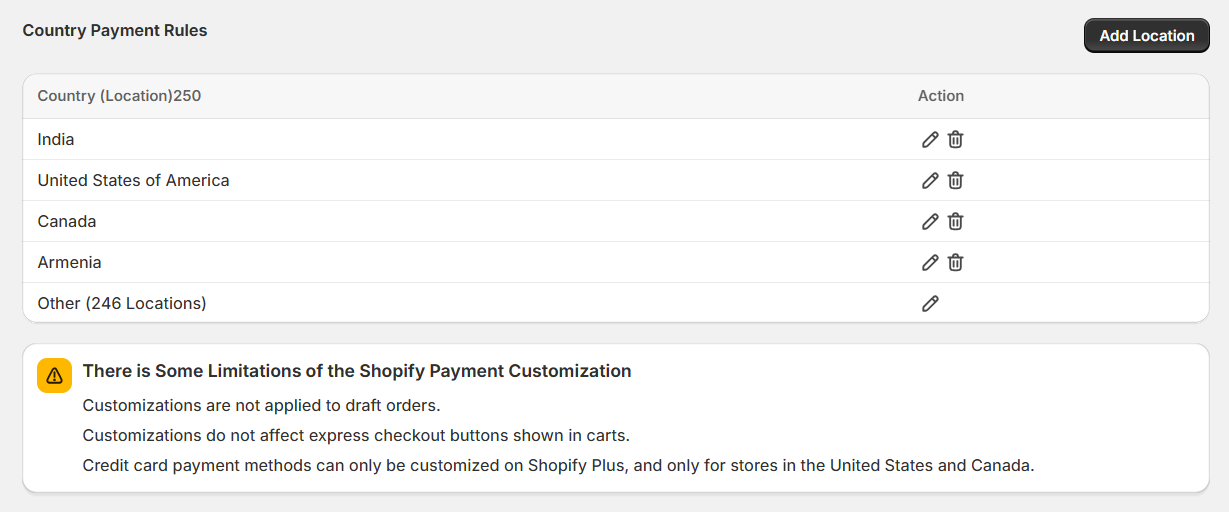
You can select the customer's country.
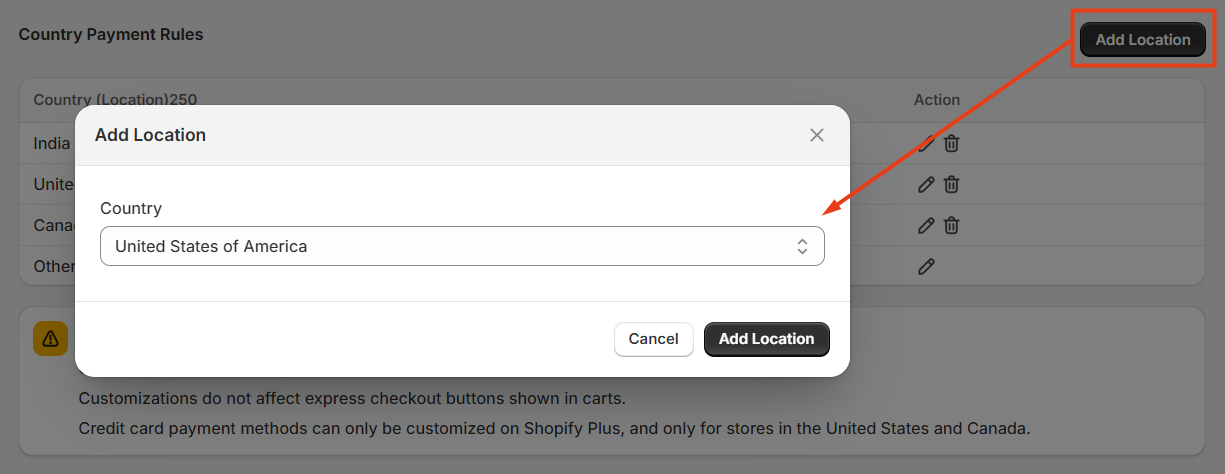
You can see the payment rule based on location with added payment method.
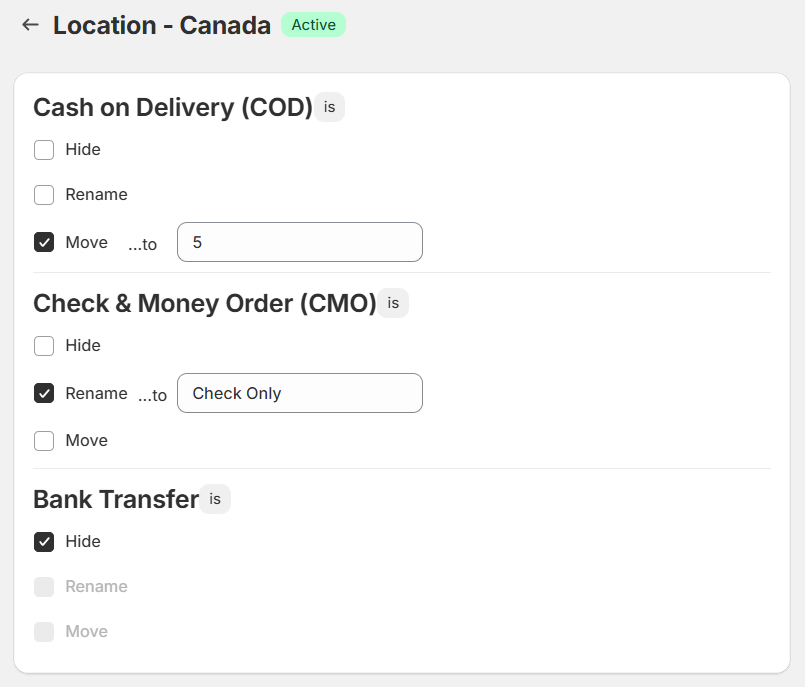
- Hide: You can hide the payment method.
- Rename: You can rename the payment method.
- Move: You can move the payment method.
You can see the payment rule based on customer country which you have added via Add Location.
Display on Frontend
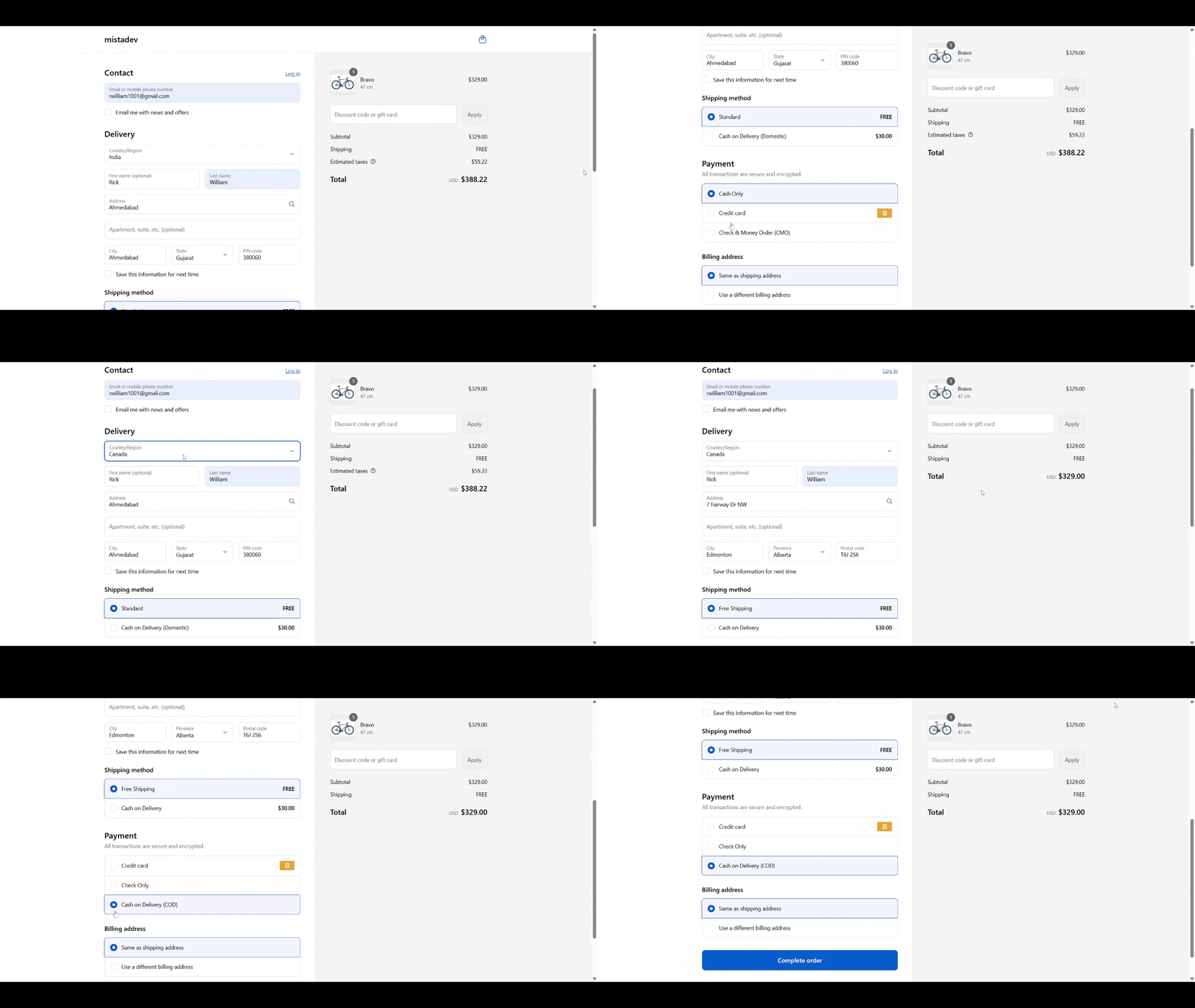
You can see the payment rule apply on India and Canada countries.
Support
If this documentation doesn't answer your questions, please feel free to email us at info@cynoinfotech.com
Our support team operates in the GMT +5:30 time zone and responds to all inquiries within 12-24 hours on weekdays. In rare cases, the response time may extend to 48 hours, especially during the holidays, which may take longer..
Please don't forget to rate our app 5 stars ( ) on the App Store if you are satisfied with our app and customer support! Your feedback is greatly appreciated and helps us improve our services. Thank you!
Changelog
See what's new added, changed, fixed, improved or updated in the latest versions.
Version 1.0 (23 August, 2025)
Initial Release