Shopify App | Documentation
VAT Dual Price
- Version: 1.0.1
- Author: CynoInfotech Team
- Published: 22 October, 2025
- Last Update: 21 April, 2026
If you have any questions beyond the scope of this guide, feel free to email us at info@cynoinfotech.com.
Information
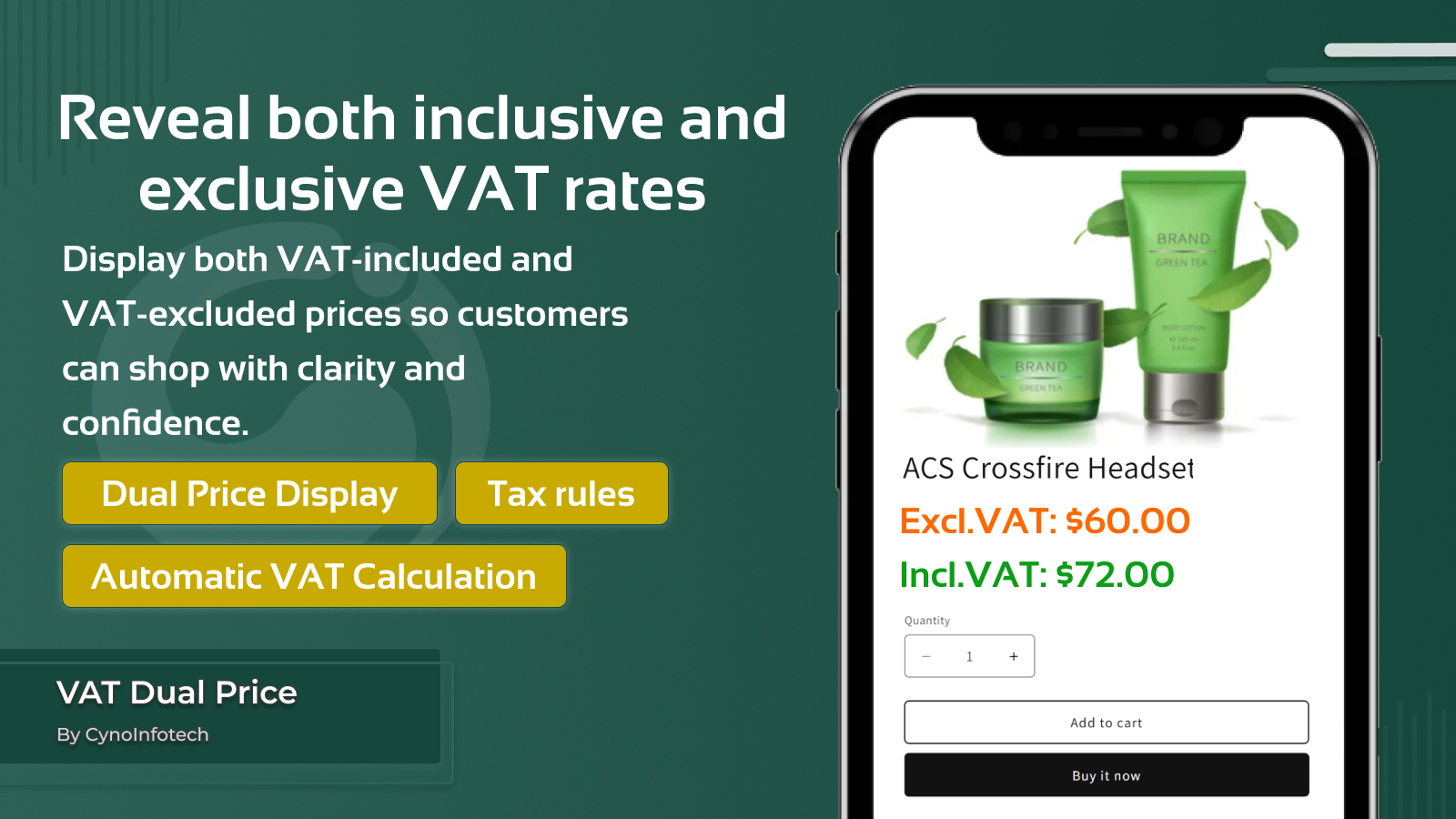
Give your customers complete transparency by displaying both VAT-inclusive and VAT-exclusive prices side by side. Whether you’re selling to retail shoppers, wholesale buyers, or international audiences, clear pricing builds confidence and reduces confusion during checkout. Set different rule tax by products, collection or country. By showing the exact cost upfront, improve decision-making, and create a smoother buying experience. Transparent pricing not only enhances trust—it also helps you meet tax display requirements across regions with ease.
Key Features:
- Show VAT-inclusive and VAT-exclusive prices side by side for instant clarity.
- Prices are calculated based on your configured VAT rates—no manual setup required.
- Display prices with apply all product, specific product or specific collections.
- Merchants apply tax with specific countries.
- Ideal for B2B and B2C stores where different pricing visibility is needed.
- Transparent pricing helps reduce confusion and improves conversion rates.
Enable App Embed
To make VAT Dual Price work properly on your storefront, app embed must be enabled. Follow these steps to enable app embed:
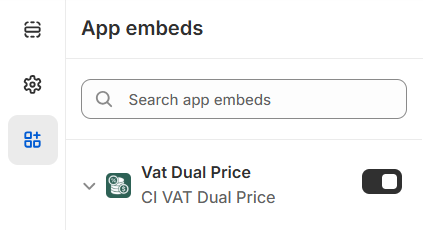
To make CI VAT Dual Price work properly on your storefront, app embed must be enabled. Click the button below Activate App Embed and click on Save in the editor to enabled.
When you done this process then you can go to Setup Guide in admin and click on the button I have done it.
Tax Rule
Use this setting for vat rule general settings and design & layout.
General Settings
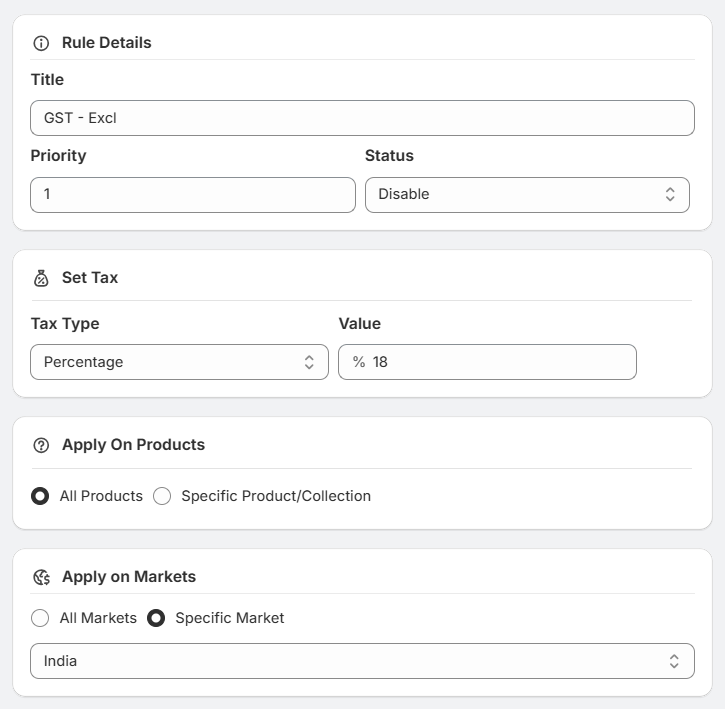
You can set the multiple rules using details, set tax, apply on products and apply on markets.
-
Rule Details:
- You can set the rule title for specific rule.
- You can set the priority based on rule.
- You can set the status with Enable/Disable.
-
Ex - Product Price:
- If you have excluded tax price with original product price then you must be select Excluding tax.
- If you have included tax price with original product price then you must be select Including tax.
-
Tax Settings:
- You can choose the Tax Type Percentage/Fixed Rate.
- You can set the value based on select Tax Type.
- Apply to Products: You can apply the rule for All Products or Specific Product/Collections.
- Apply to Markets: You can apply the rule for All Markets or Specific Market.
Design & Layout
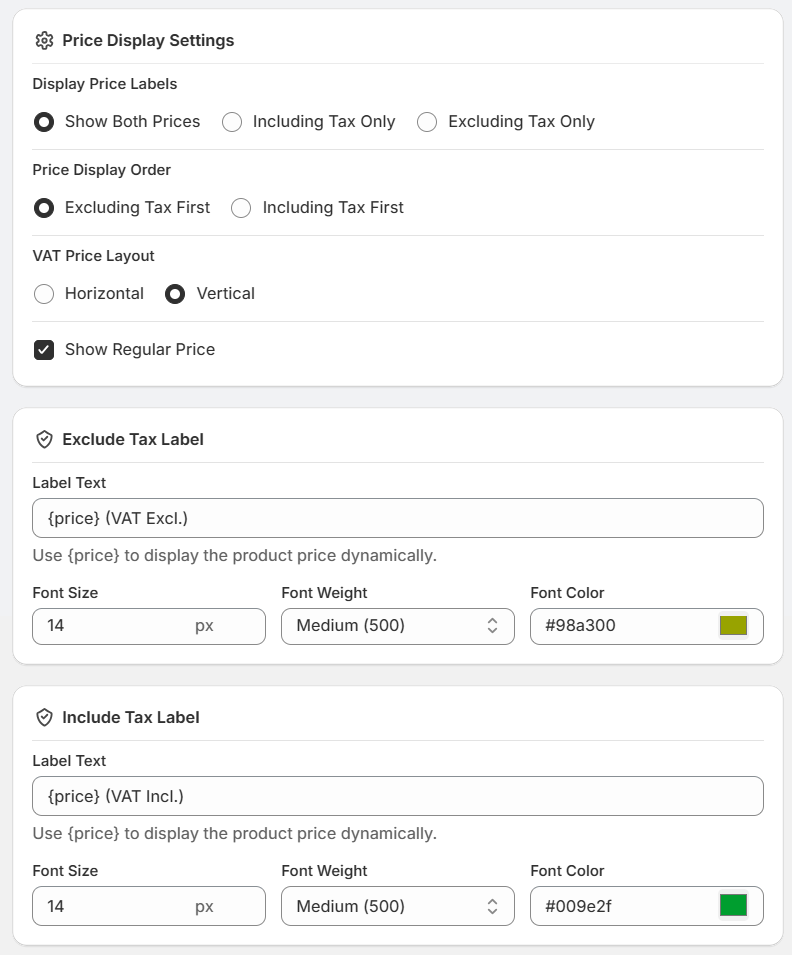
Use this setting for Exclude Tax and Include Tax for display price and tax label.
-
Price Label Settings:
- Display Price Labels: You can select which tax price to display.
- If you select Show Both Prices, you can configure both price labels in the card below: Exclude Tax Label and Include Tax Label.
- If you select Including Tax Only, you can configure only Include Tax Label in the card below.
- If you select Excluding Tax Only, you can configure only Exclude Tax Label in the card below.
- Price Display Order: Select which tax price should be displayed first.
- VAT Price Layout: Select which tax price layout to display Horizontal or Vertical.
- Show Regular Price: If you want to show the regular price, keep this checked. Uncheck it to hide the regular price.
- Display Price Labels: You can select which tax price to display.
- Exclude Tax Label:
- You can set the label text you want to display for the Exclude Tax price. ({price} is dynamic.)
- You can customize the Exclude Tax Label font settings, including font size, font weight, and font color.
- Include Tax Label:
- You can set the label text you want to display for the Include Tax price. ({price} is dynamic.)
- You can customize the Include Tax Label font settings, including font size, font weight, and font color.
Element Selectors Settings
Use this settings for element selectors with product page, collection page or custom section.
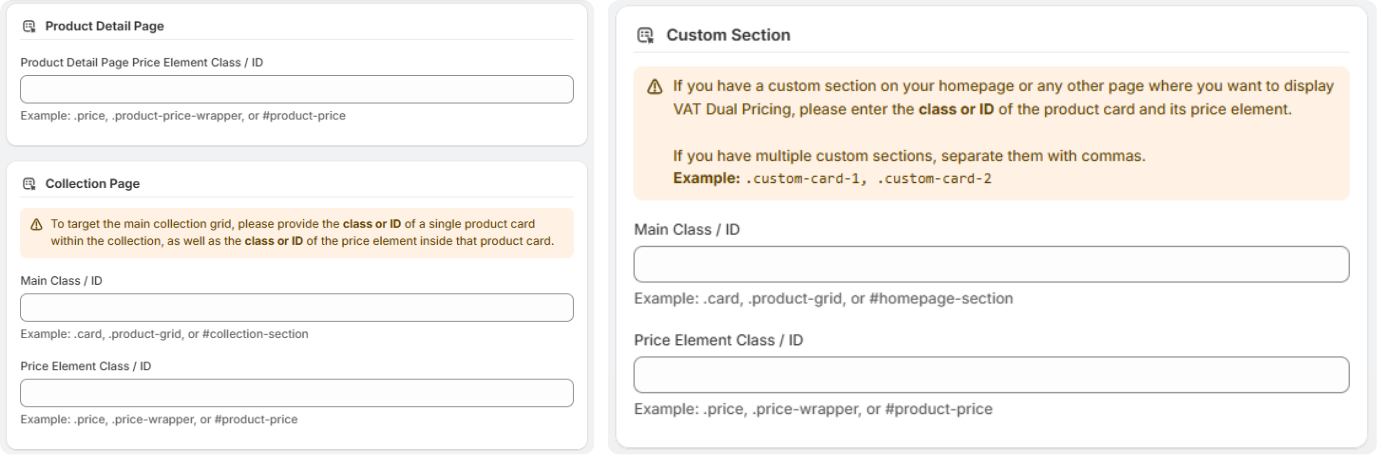
If you have custom theme or any custom section then you can use this element selectos with use related class/id as instructions.
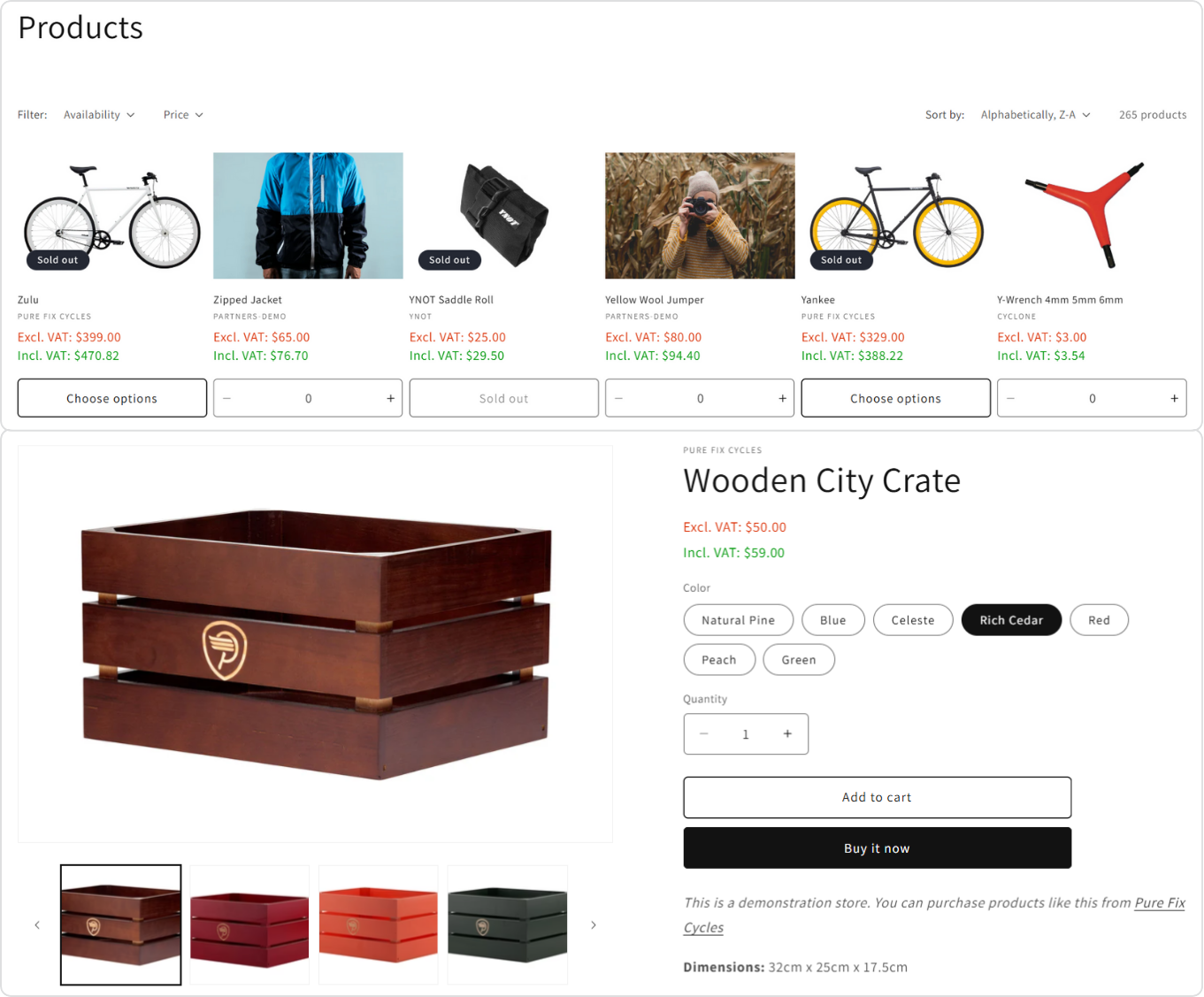
Display On Frontend
You can see the Exclude VAT and Include VAT on Collection Page and Product Page.
Support
If this documentation doesn't answer your questions, please feel free to email us at info@cynoinfotech.com
Our support team operates in the GMT +5:30 time zone and responds to all inquiries within 12-24 hours on weekdays. In rare cases, the response time may extend to 48 hours, especially during the holidays, which may take longer..
Please don't forget to rate our app 5 stars ( ) on the App Store if you are satisfied with our app and customer support! Your feedback is greatly appreciated and helps us improve our services. Thank you!
Changelog
Version 1.0.1 (21 April, 2026)
-
Added
Version 1.0 (22 October, 2025)
Initial Release